Automations
A few things I’ve built keep themselves up to date. My inbox gets sorted every hour. A page of what I saved gets written every Monday. My token counts update every five minutes. I don’t touch any of it.
Each one is just a job with a schedule. Here’s everything I’ve got running:
Most of these don’t need an agent. Realtime Tokens reads a page and saves some numbers. That’s the same every time, so it’s a script. The agent ones are where something needs deciding: which emails need me, which bookmarks are worth reading.
Where it runs
A job only runs if the computer it’s on is awake. Shut my laptop and everything on it stops.
That’s why people use a Mac Mini for this: it’s a computer that’s always on. Or they rent one, a VPS.
Token Activity uses both. Every hour my laptop counts the tokens its agent apps used and sends them to the Mini over Tailscale. The Mini adds its own and updates the graph (Working with data). When my laptop’s shut, the Mini carries on. It just doesn’t get my laptop’s numbers until I open it again.
My email runs in Codex on my laptop. So it only runs while it’s open.
How a run works
It’s a schedule, a prompt runs, it looks through files, folders and instructions, and then the thing is done. Then the result gets to me however suits the job: the same page updated, my inbox sorted, a new file in a folder.
- whenMondays, 7amon the Mac Mini
- the prompt
write last week’s bookmarks brief. follow scripts/weekly-brief/README.md, monday to monday. leave out anything private, the page is public. publish it to the same url and check it’s live
- reads
README.md- the week’s bookmarks
- their views, saves and replies
- does
- groups the week into themes
- ranks it: hidden gems, most saved, most talked about
- splits it into try, read and skim
- checks
- nothing private made it onto the page
- the page is live and shows the right week
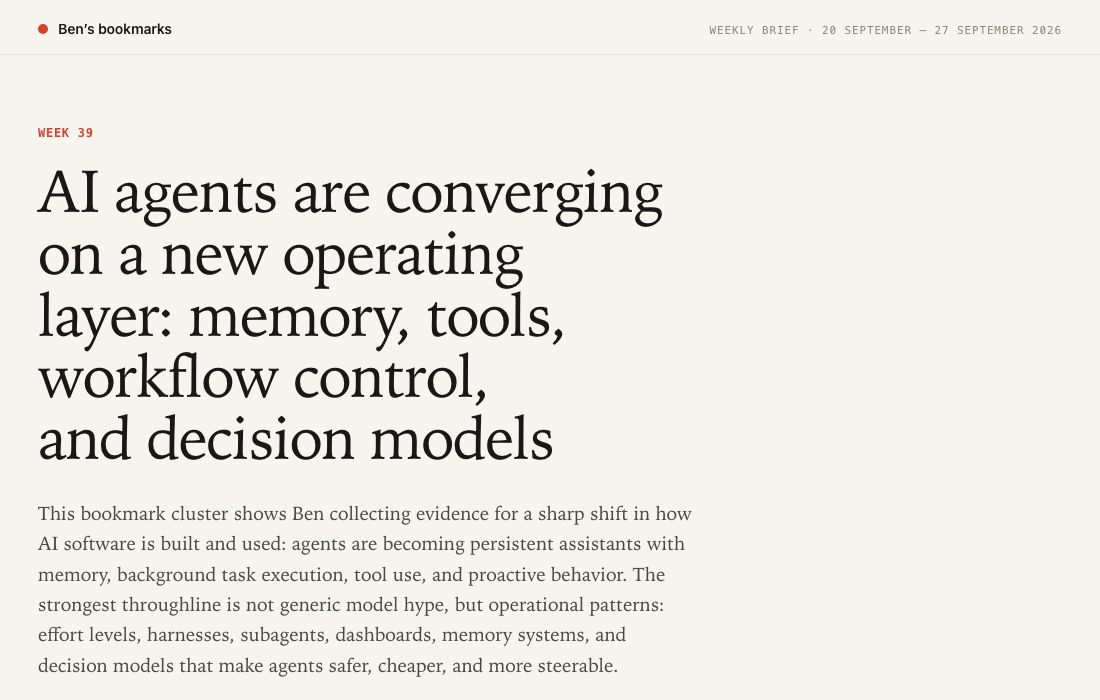
Same page, new week: centered-hill-n7ws.here.now
- whenEvery hour, 7am to 10pmCodex, on my laptop
- the prompt
Run one loop run of Ben’s Gmail loop by invoking the skill: /run-loop gmail […] Follow LOOP.md (config + invariants) and RULES.md (judgment). State source of truth is […] memory.md.
- reads
LOOP.mdRULES.mdmemory.md- mail since the last run
- does
- labels each new email
- archives what’s only information
- leaves anything that needs me
- checks
- reads each email again: right label, in or out of the inbox
- only then writes where it got to in memory.md
My inbox, with only what needs me. Codex sends me one line about each run.
- whenWednesdays, 11:30amCodex, on my laptop
- the prompt
Use the Granola connector to find recent meetings […] Compare them against existing Markdown transcript files […] For any […] that are not already saved, pull the full verbatim transcript with Granola, then create a Markdown file in that memory folder matching the existing format
- reads
- my calls in Granola
- the transcripts folder
- does
- saves each new call as a markdown file
- adds anything worth keeping to my notes
- checks
- never writes over a transcript that’s already there
- tells me about any call it wasn’t sure of
A new markdown file in my notes.
The prompts are short. The detail is in the files the job reads. RULES.md says how to decide. memory.md is where each run writes down where it got to, so the next one starts from there.
What the weekly brief is for is on Keeping up to date.
Email, up close
I want to open my inbox and see the things that still need me. A receipt can be filed. A newsletter can wait. An email asking me to decide something stays where I can see it.
After the run, the receipt and newsletter still exist. They have labels, so I can find them later. Archived means out of the inbox, not deleted. The payment request and invitation stay visible.
What still needs me?
Two messages can look almost the same and need different treatment. An invoice that has already been paid is information. An invoice I still need to pay is work.
My rule is simple: action wins. If I need to reply, decide, pay, schedule or check something, the message stays in the inbox.
A rule like “archive invoices” would miss that. And if it’s not sure, it stays in my inbox.
When a run doesn’t finish
memory.md only moves on once the checks pass. Two runs from June, on an earlier version of my setup:
- A change was only partly finished.
The agent labelled and archived a new message, but could not save a related filter change. It reported the unfinished step and kept the previous progress point.
- The later run picked it up.
There was no new mail. The agent completed the pending filter change, then recorded success.
Nothing got lost, and nothing got done twice.
In the inbox above, “Add new mail” brings in two more. Run it again: same rules, new mail. The payment confirmation gets filed, and the new request stays for me.
Make it your own
Start with something you already ask an agent for, and ask it once. If the result is useful, ask for it on a schedule:
every monday at 7am, look at what i saved last week and write me a one page brief: what kept coming up, what to try, what to read. put it on the same page each time, and tell me if it fails.
Notes
- Each one is just a job on a schedule. Most are scripts. The agent ones are where something needs deciding.
- It only runs if the computer’s awake. The always-on stuff lives on the Mac Mini.
- The prompt is short. The detail is in the files:
RULES.mdsays how to decide,memory.mdsays where the last run got to. - For my email, action wins. If I need to do something, it stays in my inbox. The rest gets a label and archived.
- If a run doesn’t finish,
memory.mddoesn’t move on, and the next run picks it up. - Ask for it once. If it’s useful, put it on a schedule.